
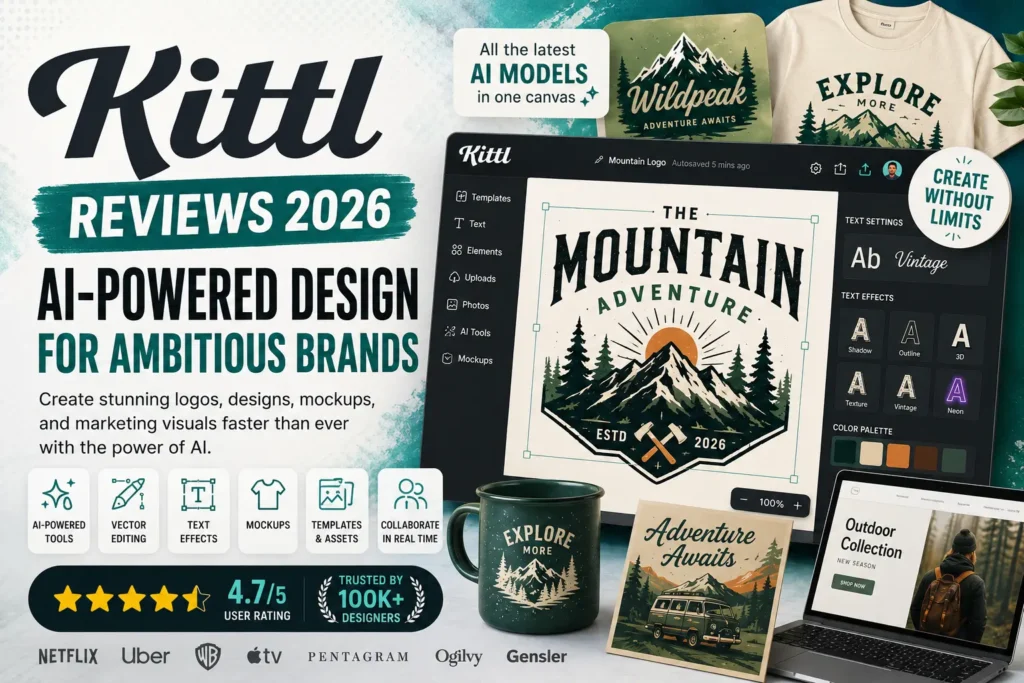
Kittl has quickly become one of the most talked-about AI-powered design platforms for creators, freelancers, and businesses. In a world where visual content is essential for branding, social media, marketing, and e-commerce, tools that simplify design workflows are in high demand. Kittl positions itself as an all-in-one creative workspace where users can generate designs, create mockups, edit vectors, and produce professional branding assets without needing advanced design skills.
But the real question is: Is Kittl worth it in 2026, and who should actually use it?
This detailed review breaks down Kittl’s features, usability, use cases, pricing, strengths, weaknesses, and overall value for modern creators.
What Is Kittl?
Kittl is a browser-based AI design platform built for fast and professional visual creation. It combines traditional design tools with advanced AI capabilities, allowing users to create logos, product mockups, posters, social media graphics, and branded content in a single workspace.
Unlike traditional design software that requires steep learning curves, Kittl focuses on simplicity and speed. It is especially popular among:
- Brand designers
- E-commerce sellers
- Marketing teams
- Print-on-demand creators
- Social media managers
- Freelancers and startups
The platform removes the complexity of tools like Photoshop or Illustrator while still delivering professional-level output.
Key Features of Kittl
Kittl’s biggest strength is its wide range of integrated creative tools. Instead of switching between multiple apps, users can handle the entire design process in one place.
1. AI Design Generation
Kittl includes AI tools that generate visuals based on prompts. Users can describe what they want, and the system creates design concepts instantly. This helps speed up brainstorming and content creation.
2. Vector Editing Tools
Unlike many AI design platforms, Kittl supports vector editing. This means users can create scalable graphics for logos, icons, and branding materials without losing quality.
3. Professional Templates
Kittl provides thousands of customizable templates for:
- Posters
- Logos
- Business cards
- Social media posts
- Product labels
- Marketing banners
These templates are designed by professionals and can be edited easily.
4. Mockup Generator
One of Kittl’s strongest features is its mockup system. Users can place their designs on real-world products like t-shirts, packaging, mugs, posters, and digital screens.
This is especially useful for online sellers who want realistic product previews.
5. AI Image Tools
Kittl includes multiple AI-based tools such as:
- Background removal
- Image upscaling
- Reframing
- Style adjustments
- Text-to-image generation
These tools reduce the need for external editing software.
6. Text Effects and Typography
Typography is a major part of branding, and Kittl offers advanced text effects like:
- 3D text styles
- Vintage typography
- Shadow and glow effects
- Custom font styling
This makes it easy to create eye-catching headlines and logos.
7. Infinite Canvas
The infinite canvas allows users to work on multiple design ideas in one space. This is helpful for brainstorming and organizing visual projects.
Use Cases of Kittl
Kittl is not just a design tool—it is a full creative system used across multiple industries.
1. Branding and Logo Design
Startups and small businesses use Kittl to create brand identities quickly. The combination of templates and vector tools allows for professional logo creation without hiring a designer.
2. Print-on-Demand Businesses
E-commerce sellers use Kittl to design:
- T-shirts
- Hoodies
- Tote bags
- Posters
- Stickers
Mockups help visualize how products will look before printing or selling.
3. Social Media Content Creation
Marketers and influencers use Kittl to create posts, ads, and promotional visuals that stand out on platforms like Instagram, TikTok, and Facebook.
4. Marketing Agencies
Agencies use Kittl to speed up content production for clients. The AI tools reduce design time while maintaining quality.
5. Freelance Designers
Freelancers benefit from faster workflows, allowing them to deliver more projects in less time.
6. Business Branding
Small businesses use Kittl for:
- Flyers
- Menus
- Posters
- Promotional campaigns
- Product packaging
Content Creation Experience
Kittl is built around simplicity and speed. The interface is clean, modern, and easy to understand even for beginners.
Users can:
- Drag and drop elements
- Edit text instantly
- Customize templates
- Apply AI enhancements
- Export designs in multiple formats
The biggest advantage is that users don’t need advanced technical knowledge to produce professional-quality visuals.
For experienced designers, Kittl also offers enough flexibility to create custom and detailed work without feeling restricted.
Company Overview
Kittl is a modern design technology company focused on AI-driven creativity tools. Its goal is to make professional design accessible to everyone, regardless of experience level.
The platform is continuously updated with new AI models, design assets, and creative tools. It is built for the future of content creation, where speed and automation are just as important as creativity.
Kittl is widely used by independent creators as well as teams and agencies looking to scale their design output.
Pricing Overview
Kittl offers multiple pricing tiers designed for different types of users.
Free Plan
The free version allows users to explore basic features, including:
- Limited projects
- Basic templates
- AI credits (limited usage)
- Access to stock assets
This plan is suitable for beginners and testing the platform.
Pro Plan
The Pro plan is designed for individuals and small creators. It includes:
- Unlimited projects
- Advanced templates
- Higher AI credits
- Vector export options
- Larger storage space
This plan is ideal for freelancers and online sellers.
Expert Plan
The Expert plan is built for professionals and agencies. It includes:
- Maximum AI usage
- Massive asset library
- Faster workflow tools
- Large storage capacity
- Advanced design capabilities
This is best suited for high-volume design work.
Sign Up and Sign In Experience
Kittl makes onboarding very simple. Users can sign up quickly using email or third-party login options. Once registered, the platform provides a guided experience that helps users understand tools and start their first project.
The sign-in process is fast and cloud-based, meaning users can access their designs from any device without installation.
Pros and Cons of Kittl
Pros
- Easy-to-use interface
- Strong AI design tools
- High-quality templates
- Professional mockup generator
- Vector editing support
- Fast workflow for creators
- Great for branding and marketing
- Cloud-based access anywhere
Cons
- Advanced features require paid plan
- Internet connection required
- Not as powerful as full professional software for complex 3D work
- AI credits can limit heavy usage on lower plans
Who Should Use Kittl?
Kittl is best suited for:
- Beginners learning design
- Small business owners
- Print-on-demand sellers
- Social media marketers
- Freelancers
- Startup founders
- Content creators
If you need fast, high-quality visuals without spending hours learning complex software, Kittl is a strong choice.
Final Verdict
Kittl stands out as one of the most efficient AI-powered design platforms in 2026. It successfully bridges the gap between professional design tools and beginner-friendly creativity platforms.
Its biggest strengths are speed, simplicity, and AI integration. While it may not replace advanced tools for professional studio-level editing, it is more than enough for branding, marketing, e-commerce, and everyday content creation.
For most creators, Kittl delivers excellent value by saving time, reducing design effort, and producing visually strong results with minimal learning curve.
If your goal is fast, modern, and professional-looking design output, Kittl is absolutely worth considering in 2026.