
Introduction
Artificial intelligence is rapidly transforming education, helping teachers save time, personalize instruction, and provide students with more engaging learning experiences. Among the growing number of AI-powered educational platforms, SchoolAI has emerged as one of the most innovative solutions designed specifically for schools, educators, and students.
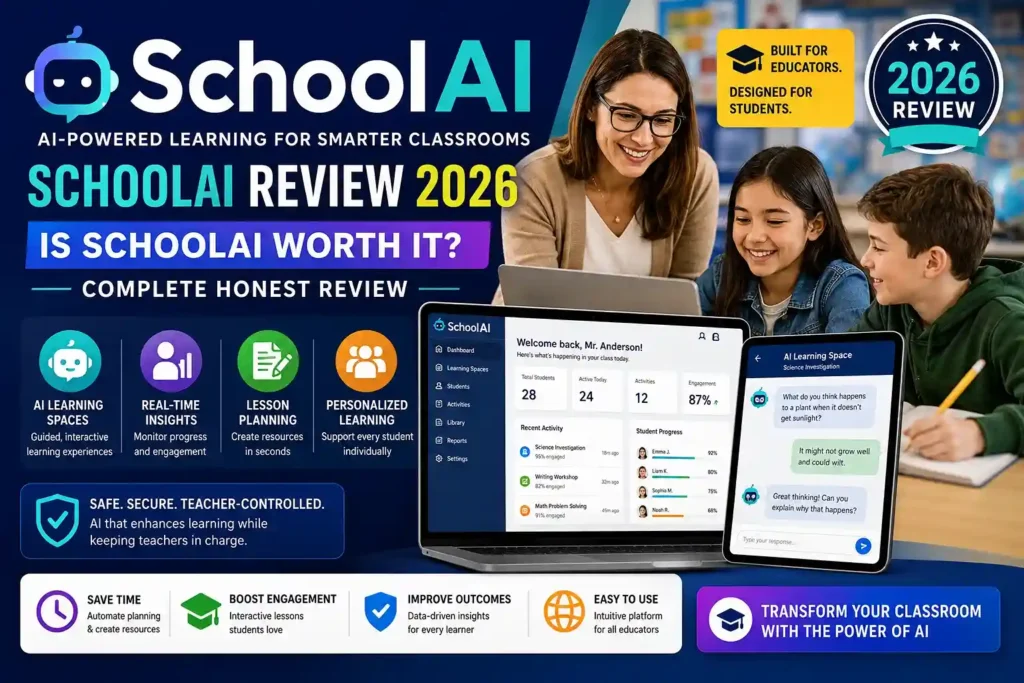
Unlike general-purpose AI chatbots, SchoolAI is built with classrooms in mind. It enables teachers to create guided learning activities, monitor student progress in real time, generate lesson materials, and provide personalized support without replacing the teacher’s role. The platform focuses on making AI a teaching assistant rather than simply an answer generator.
Whether you’re an elementary teacher, high school educator, school administrator, or higher education instructor, SchoolAI aims to simplify lesson planning, improve classroom engagement, and support personalized learning for every student.
In this detailed SchoolAI review, we’ll explore its features, classroom tools, pricing, benefits, limitations, user experience, and whether it’s worth using in 2026.
What Is SchoolAI?
SchoolAI is an AI-powered educational platform created specifically for schools and educators. Instead of functioning as a standard chatbot, the platform allows teachers to build structured AI learning experiences that encourage students to think critically, solve problems, and actively participate in lessons.
Teachers remain in full control by defining prompts, learning objectives, classroom rules, and the level of AI assistance students receive. This teacher-guided approach helps ensure AI enhances learning instead of replacing it.
The platform supports both classroom instruction and independent learning while giving educators real-time visibility into student progress.
Why SchoolAI Is Becoming Popular
SchoolAI has quickly gained attention because it focuses on education rather than general AI conversations.
Several factors contribute to its popularity:
- Personalized learning experiences
- Teacher-controlled AI interactions
- Classroom safety features
- Real-time student monitoring
- Lesson planning assistance
- AI-powered educational resources
- Student engagement tools
- Easy classroom integration
Unlike many AI tools that simply answer questions, SchoolAI is designed to encourage critical thinking and meaningful learning.
Key Features of SchoolAI
SchoolAI offers numerous features designed to support both teachers and students.
AI Learning Spaces
One of SchoolAI’s most impressive features is its AI Spaces.
Teachers can create customized learning environments where students interact with AI in ways that align with specific lesson goals.
Examples include:
- Science investigations
- Historical role-playing
- Math tutoring
- Language learning
- Writing workshops
- Debate practice
- Reading comprehension
Each learning space can be customized for different grade levels and subjects.
Personalized Student Learning
Every student learns differently.
SchoolAI adapts conversations based on individual student responses.
Instead of giving identical answers to every learner, the AI encourages personalized exploration through guided questioning and interactive discussions.
This creates a more engaging learning experience than traditional digital worksheets.
Teacher Dashboard
Teachers receive valuable classroom insights through a centralized dashboard.
The dashboard allows educators to:
- Monitor student participation
- View conversations
- Identify struggling learners
- Track engagement
- Provide additional guidance
- Adjust learning activities
Real-time visibility helps teachers intervene when students need extra support.
Lesson Planning Tools
Lesson preparation often requires hours of work.
SchoolAI simplifies this process by helping teachers generate:
- Lesson plans
- Discussion questions
- Classroom activities
- Writing prompts
- Exit tickets
- Assessments
- Bell ringers
- Learning objectives
These resources reduce planning time while maintaining instructional quality.
AI Writing Support
Writing instruction is another area where SchoolAI performs exceptionally well.
Students receive guidance during:
- Brainstorming
- Outlining
- Drafting
- Revising
- Editing
- Reflection
Rather than writing assignments for students, the AI encourages independent thinking by asking questions and providing constructive feedback.
This approach promotes genuine learning instead of simple answer generation.
Subject Coverage
SchoolAI supports multiple academic subjects.
Popular classroom applications include:
Mathematics
Students receive guided problem-solving support rather than immediate solutions.
Science
Interactive investigations help students explore scientific concepts through questioning and experimentation.
English Language Arts
Writing assistance, reading comprehension, grammar practice, and literary analysis become more engaging.
History
Students can participate in historical conversations and analyze historical events through interactive learning.
Social Studies
AI-powered discussions encourage critical thinking about geography, government, economics, and global issues.
Classroom Experience
SchoolAI is designed to fit naturally into existing classroom routines.
Teachers can:
- Launch AI activities
- Share learning spaces
- Monitor responses
- Guide discussions
- Review student progress
Students simply join the assigned learning space and begin interacting with the AI according to teacher instructions.
Because educators maintain control over the learning experience, AI becomes a classroom assistant rather than a replacement for instruction.
Student Engagement
One of SchoolAI’s strongest advantages is student engagement.
Interactive conversations often encourage participation from students who may hesitate during traditional classroom discussions.
Students appreciate:
- Personalized conversations
- Instant feedback
- Interactive lessons
- Curiosity-driven learning
- Individual support
Many educators report increased classroom participation when using AI-guided activities.
AI Safety Features
SchoolAI places significant emphasis on responsible AI use in education.
Important safety features include:
- Teacher supervision
- Configurable AI behavior
- Student monitoring
- Content boundaries
- Educational guardrails
- Age-appropriate interactions
These safeguards help schools integrate AI while maintaining appropriate learning environments.
Browser Extension
SchoolAI also offers a browser extension that helps teachers work more efficiently.
The extension allows educators to:
- Generate lesson resources
- Create worksheets
- Provide writing feedback
- Summarize educational content
- Develop classroom activities
These tools reduce repetitive tasks while improving instructional efficiency.
Ease of Use
One reason many schools adopt SchoolAI is its simplicity.
The interface is clean, organized, and beginner-friendly.
Most teachers can begin creating classroom activities without extensive technical training.
Even educators who are new to AI generally find the platform approachable.
Performance Review
Performance is consistently smooth.
Users frequently praise:
- Fast response times
- Stable operation
- Reliable classroom performance
- Easy navigation
- Responsive interface
The platform is optimized for educational workflows rather than general conversational AI.
Benefits of SchoolAI
Teachers frequently highlight several major advantages.
Saves Time
AI automates repetitive tasks like lesson planning and activity creation.
Supports Personalized Learning
Students receive individualized learning experiences.
Improves Classroom Engagement
Interactive AI conversations encourage participation.
Teacher Control
Educators remain in charge of every learning activity.
Easy Implementation
Schools can integrate the platform with minimal disruption.
Encourages Critical Thinking
The AI guides students through reasoning instead of simply providing answers.
Limitations
Although SchoolAI offers many advantages, no platform is perfect.
Some limitations include:
- Internet connection required
- Advanced features may require paid plans
- Initial setup requires teacher planning
- Some schools may need staff training
- AI should complement—not replace—traditional teaching methods
Fortunately, these limitations are relatively minor compared to the platform’s overall strengths.
Who Should Use SchoolAI?
SchoolAI is ideal for:
- K–12 Teachers
- School Administrators
- Higher Education Instructors
- Instructional Coaches
- Tutors
- Educational Technology Teams
- District Leaders
It is especially valuable for educators seeking practical ways to integrate AI into daily instruction.
Pros and Cons
Pros
- Built Specifically for Education
- Teacher-Controlled AI Experiences
- Personalized Student Learning
- Real-Time Classroom Monitoring
- Excellent Lesson Planning Tools
- Strong Writing Support
- User-Friendly Interface
- Safe Classroom Environment
- Interactive Learning Spaces
- Saves Valuable Teaching Time
Cons
- Premium Features May Require Subscription
- Requires Internet Access
- Initial Learning Curve for New Users
- Effectiveness Depends on Teacher Implementation
Final Verdict
SchoolAI has established itself as one of the most innovative AI platforms designed specifically for education. Rather than replacing teachers, it empowers them with intelligent tools that simplify lesson planning, personalize learning, and improve classroom engagement. Its focus on teacher control, student safety, and structured AI interactions makes it stand out from general-purpose AI assistants.
The platform is especially valuable for educators who want to reduce administrative workload while creating more meaningful learning experiences. Features such as AI learning spaces, real-time student monitoring, personalized instruction, and writing support help teachers spend less time on repetitive tasks and more time connecting with students.
For schools, districts, and educators looking to integrate artificial intelligence responsibly, SchoolAI is one of the strongest educational AI platforms available in 2026. It successfully combines modern AI technology with practical classroom needs, making it a worthwhile investment for improving teaching efficiency and student learning outcomes.