
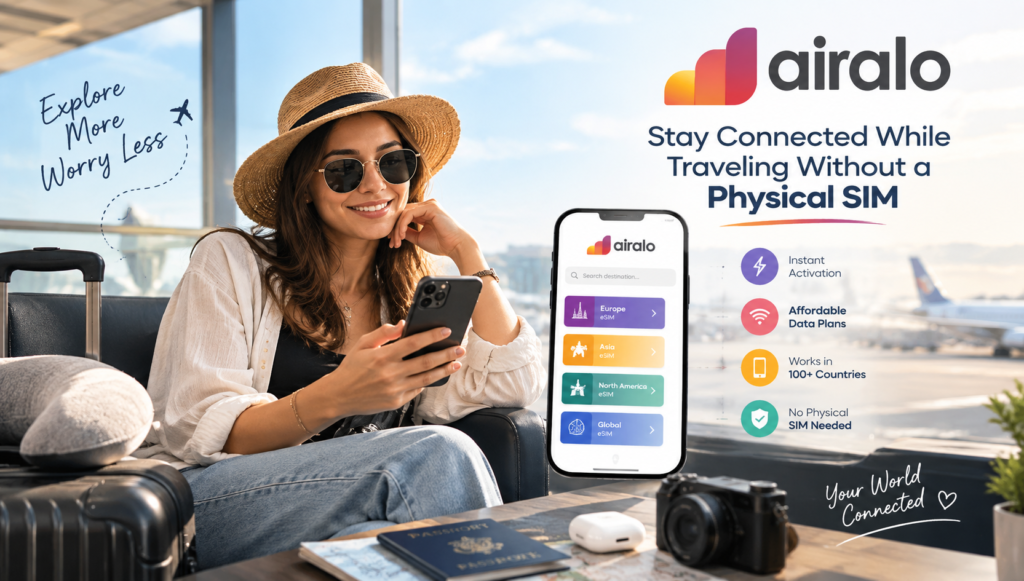
Landing in a new country should feel exciting, not like a race to find a phone store.
Yet for many travelers, one of the first things on the airport checklist is figuring out how to get mobile data. You may need Google Maps to find your hotel, rideshare apps to get out of the airport, messaging apps to contact family, or translation tools to navigate an unfamiliar place. Traditionally, that could mean buying a local SIM card, removing your regular SIM, and hoping you don’t lose the tiny piece of plastic somewhere between baggage claim and the hotel.
Airalo offers a different approach.
Airalo is an eSIM marketplace that lets travelers purchase and install a digital SIM plan for their destination. Instead of swapping physical SIM cards, you can add a compatible eSIM to your phone and connect to a supported mobile network when you arrive. Airalo currently offers local, regional, and global eSIM options covering more than 200 destinations.
In this guide, we’ll look at how Airalo works, what an eSIM actually is, how to set one up, what to consider before buying a plan, and how to avoid common mistakes that can leave you without data during a trip.
What Is Airalo?
Airalo is a digital marketplace for eSIMs, designed primarily to help travelers get mobile connectivity without purchasing a traditional physical SIM card.
The concept is straightforward. You choose your destination, select an available data package, install the eSIM on your compatible phone, and connect to a supported network when you’re in the coverage area.
Airalo offers three broad types of coverage:
- Local eSIMs: Designed for one country or destination.
- Regional eSIMs: Designed to work across multiple countries within a region.
- Global eSIMs: Designed for travelers visiting destinations around the world.
The exact data allowance, validity period, supported networks, and included services depend on the specific package you choose. Some plans are data-only, while others may include calls and texts.
For a U.S. traveler taking an international vacation, this means you can potentially arrange your mobile data before leaving home rather than waiting until you arrive.
What Is an eSIM and How Does Airalo Use It?
An eSIM, short for embedded SIM, is essentially a digital version of the SIM technology used to connect your phone to a cellular network.
Unlike a traditional SIM card, you don’t physically insert an eSIM into your phone. The compatible device contains the necessary hardware, and a mobile plan can be downloaded and installed digitally.
Think of it this way: your physical SIM is a little card you can remove from your phone. An eSIM is a digital profile that can be installed on the phone’s built-in SIM hardware.
Airalo uses this technology to deliver mobile plans digitally. Once you purchase a package, Airalo provides instructions for installing the eSIM and connecting it to a supported network.
That eliminates one of the most annoying parts of international travel: handling a tiny SIM card while you’re tired, jet-lagged, and standing in an airport.
Why Travelers Are Switching From Physical SIM Cards to Airalo
Physical SIM cards aren’t inherently bad. In many destinations, buying a local SIM can still be a perfectly reasonable option.
The difference is convenience.
With a traditional SIM, you may need to:
- Find a retailer or carrier shop.
- Purchase the appropriate SIM.
- Remove your existing SIM card.
- Install the new card.
- Configure the phone.
- Keep your original SIM somewhere safe.
- Reverse the whole process when you return home.
An eSIM removes much of that physical hassle.
With Airalo, you can generally purchase your plan online or through the app, install the eSIM before your trip, and configure your phone so you’re ready to connect when you arrive. Airalo says installation requires an internet connection, so having reliable Wi-Fi during setup is important.
For travelers who value simplicity, that’s a meaningful difference.
Airalo Makes International Travel Connectivity More Convenient
Imagine you’re flying from New York to Rome.
Your flight lands late at night. You’re tired, your hotel address is buried somewhere in your email, and you need directions from the airport.
With a physical SIM, you might need to locate a store that’s still open.
With an Airalo eSIM, you can prepare before departure. Once you’re in the supported coverage area, you can turn on the eSIM and use mobile data according to the plan’s instructions.
That can make the first 30 minutes of a trip considerably less stressful.
And the convenience isn’t limited to vacations. eSIMs can be useful for:
- International business trips
- Study-abroad programs
- Digital nomad travel
- Family vacations
- Multi-country road trips
- Cruise itineraries with supported destinations
- Short weekend getaways
- Frequent international travel
How to Choose the Right Airalo Plan
Choosing an eSIM isn’t simply about finding the cheapest package.
Before buying, look at four important details: coverage, data, validity, and included services.
1. Check the Destination
Start by confirming that your destination is covered.
If you’re visiting one country, a local eSIM may make sense. If you’re traveling through several neighboring countries, a regional plan may be more convenient.
For a multi-country itinerary, don’t assume that a plan covers every country just because they’re geographically close. Check the listed coverage before purchasing.
Airalo categorizes its offerings by country, region, and global coverage, making it possible to select a package based on your itinerary.
2. Estimate Your Data Usage
Your data needs depend heavily on how you use your phone.
Someone who mainly sends messages and checks directions might use considerably less data than someone who watches videos, uploads photos constantly, joins video meetings, or uses their phone as a hotspot.
Think about what you’ll actually do while traveling.
Light usage might include:
- Google Maps navigation
- Messaging
- Occasional web browsing
- Checking flight information
Heavy usage might include:
- Video streaming
- Video calls
- Large photo uploads
- Social media video
- Mobile hotspot usage
- Frequent cloud backups
If you’re unsure, check your phone’s recent mobile-data usage before traveling. That gives you a more realistic starting point than guessing.
3. Check the Validity Period
An eSIM package usually isn’t just about how much data you receive. It also has a validity period.
For example, a package may provide a certain amount of data for a defined number of days.
The important detail is when that validity period begins.
Airalo explains that the start of validity depends on the specific package. For many packages, it begins when the eSIM connects to a supported network in its coverage area, while some packages may begin when the eSIM is installed. Always check the package’s validity policy before installing it.
This small detail can prevent an unpleasant surprise.
4. Check Whether You Need Calls and Texts
Many travelers only need mobile data.
If that’s you, a data-only package may be sufficient for maps, messaging apps, email, rideshare services, and web browsing.
But if you specifically need a traditional phone number, voice calls, or SMS, check the plan details carefully. Airalo offers packages with different combinations of data, calls, and texts, depending on the destination and package.
Airalo Setup: How to Install an eSIM
Setting up an Airalo eSIM may sound technical, but the basic process is fairly simple.
The exact menus vary by phone model and operating system, so always follow the instructions provided for your specific eSIM.
Step 1: Make Sure Your Phone Supports eSIM
Before purchasing anything, confirm that your phone supports eSIM technology.
You also generally need an unlocked phone. A carrier-locked phone may restrict you from using another network or eSIM.
Airalo notes that compatible devices need to support eSIMs and should not be carrier or network locked. Airalo also provides device compatibility information, although it recommends checking with the manufacturer if you’re uncertain about a particular regional model.
This is especially important for travelers buying phones outside the United States, because device specifications can vary by market.
Step 2: Purchase Your Airalo eSIM
Once you’ve confirmed compatibility, select your destination and package.
Pay attention to:
- Data allowance
- Validity period
- Coverage
- Supported networks
- Whether calls or texts are included
- Activation policy
- Top-up availability
Don’t automatically choose the largest package. If you’re taking a short trip and primarily need navigation and messaging, a smaller plan may be enough.
Step 3: Install the eSIM
Airalo provides several installation methods depending on the device and eSIM.
These can include direct installation through the app, QR-code installation, or manual installation.
It’s smart to install the eSIM while you still have dependable Wi-Fi.
You don’t want your first attempt at installation to happen in a crowded airport with weak public Wi-Fi and a phone battery sitting at 12%.
Step 4: Label the eSIM
If your phone allows you to label cellular plans, give the eSIM an obvious name.
Something like “Japan Travel”, “Italy”, or “Europe Trip” is much easier to recognize than a generic secondary-line label.
This becomes particularly useful if your phone stores multiple eSIM profiles.
Step 5: Activate and Connect
When you arrive at your destination, follow Airalo’s connection instructions.
Depending on your device and plan, you may need to:
- Turn on the Airalo eSIM line.
- Select it for mobile data.
- Enable data roaming for the eSIM if instructed.
- Select a supported network if required.
Airalo’s instructions specifically note that the exact connection process varies by eSIM and device.
Should You Install Airalo Before Leaving the United States?
In many cases, installing your eSIM before departure is convenient.
You can complete the technical setup at home while you have reliable Wi-Fi and plenty of time to troubleshoot anything unusual.
However, don’t assume that installing an eSIM always means your validity period starts immediately.
As mentioned earlier, activation policies vary. Some packages begin validity when they connect to a supported network, while others can begin when installed. Check your package’s specific policy before installation.
A good travel routine is:
- Buy the eSIM before your trip.
- Read its installation and activation instructions.
- Install it using reliable Wi-Fi.
- Keep your primary U.S. line available if you need it.
- Once you arrive, select the Airalo eSIM for mobile data.
- Confirm that your phone is actually using the travel eSIM for data.
Can You Keep Your U.S. SIM Active?
One of the biggest advantages of eSIM technology is flexibility.
If your phone supports multiple SIMs or lines, you may be able to keep your regular U.S. line active while using the Airalo eSIM for data.
That can be useful if you still need access to your normal number.
However, this is where you should pay attention to your phone settings.
If your primary U.S. line is allowed to use cellular data or roaming abroad, your carrier could potentially charge roaming fees depending on your plan.
Before your trip, review your U.S. carrier’s international roaming policy and configure your phone carefully.
The goal is simple: use the Airalo eSIM for travel data while controlling when your regular line uses cellular data abroad.
Airalo vs. a Physical SIM: What’s the Difference?
Both options can provide mobile connectivity. The biggest difference is how you obtain and manage the service.
| Feature | Airalo eSIM | Physical SIM |
|---|---|---|
| Physical card required | No | Yes |
| Buy before travel | Yes | Usually requires availability before or after arrival |
| Installation | Digital | Physical insertion |
| Risk of losing card | Very low | Possible |
| Multiple profiles | Device-dependent | Usually requires swapping cards |
| Local coverage | Depends on package | Depends on carrier |
| Calls/texts | Plan-dependent | Carrier-dependent |
| Top-ups | Available on eligible plans | Carrier-dependent |
Neither option is universally perfect.
A physical SIM may be attractive if you want a traditional local carrier relationship or need a local phone number. An eSIM can be more convenient if you want to arrange connectivity before boarding your flight.
For many international travelers, the real advantage is simply having another choice.
How Much Airalo Data Do You Need?
This is one of the most common questions travelers have.
There isn’t one correct answer because data consumption varies dramatically.
If you’re primarily using your phone for navigation and communication, you may not need a huge amount of data.
But travel can quietly increase usage.
You might suddenly spend more time on:
- Google Maps
- TikTok
- YouTube
- Uber or Lyft
- Photo uploads
- Video calls
- Translation apps
- Hotel and airline websites
A practical approach is to look at your current monthly cellular usage and consider how your travel habits compare.
If you’re normally connected to Wi-Fi at home and work, your regular monthly number may not accurately represent what you’ll consume while traveling.
Also remember that Wi-Fi isn’t always available when you need it most. The moments when mobile data matters—getting from the airport to your hotel, finding a train station, or contacting someone after a delayed flight—are often the moments when you’re away from reliable Wi-Fi.
What Happens If You Run Out of Airalo Data?
Running out of data halfway through a trip is frustrating, but it doesn’t necessarily mean you need to start over.
Airalo says many eSIMs support top-ups, allowing you to add additional data to an existing eSIM when the option is available.
That can be more convenient than purchasing and installing another eSIM.
Still, it’s worth monitoring your usage during a longer trip.
If your plan includes a limited amount of data, avoid unnecessary background usage. Automatic photo backups, app updates, video streaming, and social-media feeds can consume data surprisingly quickly.
Your phone’s cellular-data settings can help you identify which apps are using the most.
Tips for Using Airalo While Traveling
A little preparation can make your eSIM experience much smoother.
Download Important Information Before You Fly
Don’t depend entirely on mobile data once you land.
Before departure, download or save:
- Hotel address
- Boarding passes
- Travel confirmations
- Offline maps
- Important phone numbers
- Copies of reservations
- Emergency information
That way, if your connection takes a few minutes to activate, you’re not stranded.
Keep Your Primary SIM Information Safe
If you’re using a physical SIM as your primary line, don’t remove it unless your phone setup requires it.
If you do remove it, store it somewhere secure. Those tiny cards are remarkably easy to lose.
Check Your Data Line
After landing, don’t simply assume your phone is using the Airalo eSIM.
Open your cellular settings and verify which line is selected for mobile data.
This is one of the simplest steps you can take to avoid accidentally using your primary carrier’s roaming data.
Watch Your Background Data
Consider restricting unnecessary background activity while you’re traveling.
Cloud photo synchronization and automatic app updates can wait until you’re connected to Wi-Fi.
Save Your eSIM Instructions
Keep your Airalo installation and connection instructions accessible.
Airalo notes that installation instructions can also be available through your order information, which can be useful if you need to refer back to the setup process.
Common Airalo Mistakes to Avoid
Even an easy setup can go wrong if you rush.
Here are some mistakes worth avoiding.
Buying Before Checking Compatibility
Always confirm that your phone supports eSIM technology and isn’t carrier locked.
Choosing a Plan Without Checking Coverage
A regional plan isn’t automatically valid everywhere in a region. Check the actual coverage list.
Ignoring the Activation Policy
This can affect when your validity period starts. Read the package details before installation.
Forgetting to Change Your Data Line
Your phone may continue using your primary carrier’s data connection unless you manually select the travel eSIM.
Assuming Every Airalo Plan Includes a Phone Number
Some packages are data-focused. If calls and SMS matter to you, verify exactly what your selected plan includes.
Waiting Until You Land to Set Everything Up
Technically, you may be able to manage the setup after arrival, but doing so can be unnecessarily stressful.
Installing and configuring your eSIM over reliable Wi-Fi at home is usually a much calmer experience.
Is Airalo Worth Considering for U.S. Travelers?
For Americans traveling internationally, the biggest appeal of Airalo is convenience.
You can arrange a travel eSIM before leaving the United States, avoid physically swapping SIM cards, and choose a plan based on the destination and expected usage.
It’s particularly useful for travelers who don’t want to spend their first hour abroad searching for a mobile-phone store.
The value depends on your trip, though.
If your existing U.S. carrier already provides affordable international data that meets your needs, you may decide there’s little reason to change your setup.
On the other hand, if international roaming is expensive, inconvenient, or limited, an eSIM can provide another way to stay connected.
Airalo’s current marketplace includes local, regional, and global plans, giving travelers different options depending on whether they’re visiting one destination or several.
Airalo for Multi-Country Trips
This is where regional and global eSIMs can become particularly interesting.
Imagine a two-week European trip that includes France, Italy, Switzerland, and Germany.
Buying separate local SIMs for every country could become tedious.
A regional eSIM may let you use one travel connectivity solution across multiple destinations, provided each country is included in the package’s coverage.
For travelers visiting many countries, that’s not just a convenience issue. It’s one less thing to think about every time you cross a border.
Always check the package’s current coverage before purchasing because supported countries and networks can vary.
Airalo for Business Travelers
Business travelers have different connectivity requirements.
You might need to answer email in an airport, join a video meeting from a hotel, check Slack, access cloud documents, or respond to a client while you’re away from your normal office.
Reliable data becomes less of a luxury and more of a practical necessity.
An eSIM can help simplify the logistics because you can arrange your travel connectivity before leaving.
If you travel internationally several times a year, having a repeatable eSIM setup can also save time. Once you’re familiar with your phone’s dual-SIM settings, preparing for the next trip becomes much easier.
Airalo for Families
Traveling with kids creates another connectivity challenge.
Parents may need maps, translation apps, restaurant searches, messaging, rideshare services, entertainment, and emergency communication—all at the same time.
If several family members have eSIM-compatible, unlocked phones, each person can potentially use a suitable travel eSIM.
That can reduce the need to share one device’s hotspot connection throughout the trip.
Of course, the right setup depends on the family’s phones, data needs, and destination.
What to Do If Your Airalo eSIM Isn’t Connecting
Don’t panic if your phone doesn’t connect immediately after landing.
Start with the basics.
First, check the eSIM line. Make sure it is turned on.
Second, verify the data setting. Confirm that your Airalo line is selected for mobile data.
Third, check roaming settings. Some Airalo packages require data roaming to be enabled for the eSIM.
Fourth, check network selection. If the eSIM instructions specify a supported network, make sure your phone is using an appropriate network.
Finally, review the Airalo app’s connection instructions. Airalo provides destination-specific information and troubleshooting resources through its app and Help Center.
A quick restart can also help after changing cellular settings.
The Bigger Benefit: Less Travel Friction
The most interesting thing about eSIMs isn’t really the technology itself.
It’s the reduction in small travel hassles.
Travel already involves passports, boarding passes, luggage, airport security, hotel check-ins, currency, transportation, unfamiliar streets, and changing schedules.
Getting mobile data shouldn’t have to become another complicated task.
With Airalo, you can prepare your connectivity before departure, install your digital SIM without handling a physical card, and manage eligible plans through the app.
That doesn’t guarantee perfect connectivity everywhere. Your experience still depends on the destination, supported network, phone compatibility, coverage, and package you select.
But it can make the process of getting connected considerably more straightforward.
Final Checklist Before Your Trip
Before you board your flight, take two minutes to run through this list:
- Confirm your phone supports eSIM.
- Make sure the phone is carrier unlocked.
- Choose the correct Airalo destination or regional plan.
- Check the package’s data allowance and validity period.
- Read the activation policy.
- Install the eSIM over reliable Wi-Fi.
- Label the eSIM so you can identify it easily.
- Save important travel information offline.
- Check your U.S. carrier’s international roaming settings.
- Know which line you’ll use for mobile data after landing.
- Keep an eye on your data usage during the trip.
Once those basics are handled, you can get back to the more important part of travel: actually enjoying where you’re going.
Conclusion: Stay Connected Without Carrying Another SIM Card
For modern travelers, Airalo offers a convenient alternative to the traditional physical SIM card.
Instead of waiting until you arrive to find a local carrier, you can choose an eSIM package in advance, install it digitally, and use it for mobile connectivity at your destination. Airalo offers local, regional, and global options, with package details varying by destination.
The key is preparation.
Check that your phone is eSIM-compatible and unlocked. Choose a package that matches your destination and expected data usage. Read the activation rules, install the eSIM over reliable Wi-Fi, and make sure your phone uses the travel eSIM for mobile data when you arrive.
Do that before you leave the United States, and one of the most annoying parts of international travel can become almost invisible.
You land, turn on your travel connection, open your maps, call your rideshare, and get on with your trip.
That’s the real appeal of Airalo: not carrying another SIM card, but making staying connected one less thing you have to worry about.
Frequently Asked Questions About Airalo
1. What is Airalo?
Airalo is an eSIM marketplace that provides digital mobile data plans for travelers visiting countries and regions around the world.
2. Does Airalo require a physical SIM card?
No. Airalo uses eSIM technology, allowing compatible devices to download a digital mobile plan without inserting a physical SIM card.
3. Does Airalo work in the United States?
Yes. Airalo offers eSIM packages for the United States, along with regional and global options that may include U.S. coverage.
4. Can I use Airalo with my regular SIM?
Yes, compatible phones can often keep your regular SIM while using Airalo as a separate line for travel data.
5. Does Airalo work on iPhone?
Airalo works with compatible iPhones that support eSIM technology and aren’t carrier locked. Check your specific model before purchasing.
6. Does Airalo work on Android?
Yes, many Android phones support Airalo eSIMs. Compatibility varies by model and region, so check your device before purchasing.
7. Can I install Airalo before traveling?
Yes. You can generally install your eSIM before departure using reliable internet, but check its activation policy first.
8. Does Airalo include calls and texts?
Some Airalo packages include calls and texts, while others are data-only. Always check the specific package details before purchasing.
9. What happens if I run out of Airalo data?
Many Airalo eSIMs support top-ups, allowing you to add more data when available instead of purchasing another eSIM.
10. Is Airalo better than buying a local SIM?
It depends on your trip. Airalo offers digital convenience, while local SIMs may provide different pricing, services, or local-number options.